Material cannot dispatch until the agreed share of the sale is collected
What goes wrong
The customer signs the contract, shakes hands on 10/70/20, and on day three says the structure is ready. Can materials go out? The person on the phone says yes. By day five a cheque bounces. You have sent panels and an inverter, collected nothing, and a site you cannot walk away from without writing off an illustrative ₹4,00,000 in dispatched material, plus an installation slot already committed.
Your delivery ops head has one job: keep a customer happy and sites moving. When a customer asks for materials before payment, that pressure lands on them alone — on a phone call, on a site visit, with the customer already unhappy. A payment gate is not a person to argue with. It is the same rule for every job.
Overdue collections sit in a spreadsheet or a collection rep's head. Nobody else knows a payment is late until either the customer rings complaining or you ring around month-end asking for status. By then it is a fire, not a follow-up. The same invoice is sent twice and you are called a disorganised company.
You have payment schedules. Nobody has a way to enforce them — not the salesperson, not delivery, not the customer even. So on a hard week the payment date is the first thing dropped. Material goes out on a phone call, and by the time the payment fails to land the job is already committed.
How it works
Solar project payment tracking starts with the gates you set
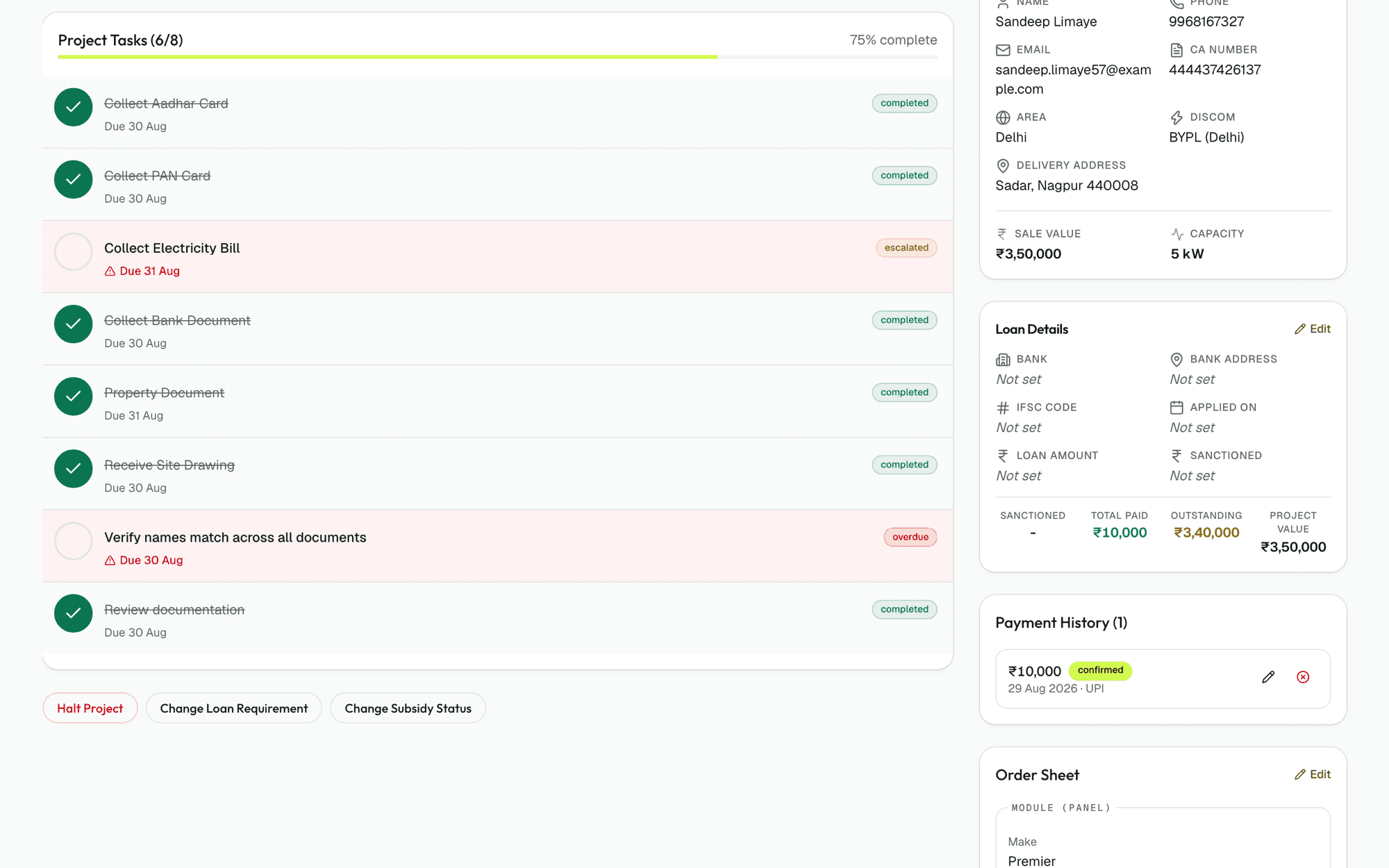
During setup, or at any time after, you define what percentage of the sale must be collected before each dispatch stage. The default is the one the first customer ran: 25% before structure installation, 65% (with a loan) or 95% (without) before materials, and 100% for project completion. You can change them per workspace, or switch a gate off entirely. The customer's payment schedule sits beside every project, updated when a cheque bounces or an instalment is collected.
The gate blocks dispatch until the money arrives
When ops tries to move a project to structure dispatch, material dispatch or net meter activation, the system checks whether the payment collected so far meets the gate. If it does not, the button is simply not available. The salesperson cannot override it on a call, and the customer cannot charm past it. It is a hard rule, not a reminder.
Overdue payments escalate every morning
At 07:00 IST every day, the system finds all payments that are now overdue and sends them to the person responsible for collection and to their manager. The email carries the project name, the customer name, the outstanding amount and how many days it is overdue. You do not have to remember to ask. The person responsible does not have to wait until you think of it.
A bounced cheque reopens the instalment
When a cheque marked collected bounces, the instalment reverts to outstanding instead of vanishing into a bank statement nobody reconciles until quarter-end. It goes back into the overdue list and emails go out again. You can record the reason (insufficient funds, account closed) and mark it collected again once the customer has sent a new cheque or a bank transfer.
Everything else you would ask
Can we change the payment gates?
Yes. Every workspace can set its own thresholds for each stage, or switch a gate off entirely. Changes take effect immediately for new projects. If you change a gate for existing projects, it applies when they next reach that stage. You might operate on 20/80 instead of the default 25% structure gate if your customers prefer paying most of the deposit after site survey rather than before.
What if a customer complains about the payment gate?
The gate is not negotiable — it is the same rule for every customer. You still have discretion: if a customer is struggling with the schedule, you can adjust their payment schedule itself, add another instalment, or defer part of the deposit until after site survey. But once you shake hands on a payment schedule, the gate enforces it. That is the point.
How does this work for customers with a bank loan?
Loan projects and non-loan projects have different material dispatch gates by default: 65% for loan jobs, 95% for non-loan. This accounts for the fact that a loan cheque is still in the bank's hands at material dispatch time. You can change both thresholds. If a customer's loan is delayed, you still cannot dispatch without the gate being met, unless you reduce the gate itself.
What happens if the customer has paid by bank transfer but we have not recorded it?
Record the payment in the system as soon as the money lands in your account, not when the cheque is posted or the transfer is initiated. The gate checks what you have recorded. If you are waiting for a bank transfer to settle, the payment is outstanding until it actually clears.
Can a project be completed with money still outstanding?
No. The final gate, before marking a project complete, requires 100% collection. The only way to close the project is to collect the balance or write it off. This prevents a job from being marked finished while money is still outstanding.
Run one real project through it this month. You will know by the end of it.
30 days free, no card, no call. Then ₹10,000 a month for the whole company, however many people you put on it.