A project enters a stage and the checklist arrives with dates already on it
What goes wrong
On a Monday the net-meter file should move from documentation to delivery. It sits until Thursday because nobody remembered to write it down, and by then the DISCOM has closed the window for the week. Four working days gone, and the customer is calling you.
A loan project enters the loan-sanction stage. The boss remembers that task exists, but nobody on the desk does. Twelve days later somebody finally checks the status and finds out the bank rejected the file four days ago because a property document was missing. The whole stage stalls because one person forgot one thing.
You are running fifteen projects at once. Five of them have tasks that are quietly overdue, but they are scattered across different people's lists and nobody sees the pattern. One of them is now thirty days late and the customer is losing confidence.
How it works
Solar project management software writes the checklist the moment the stage opens
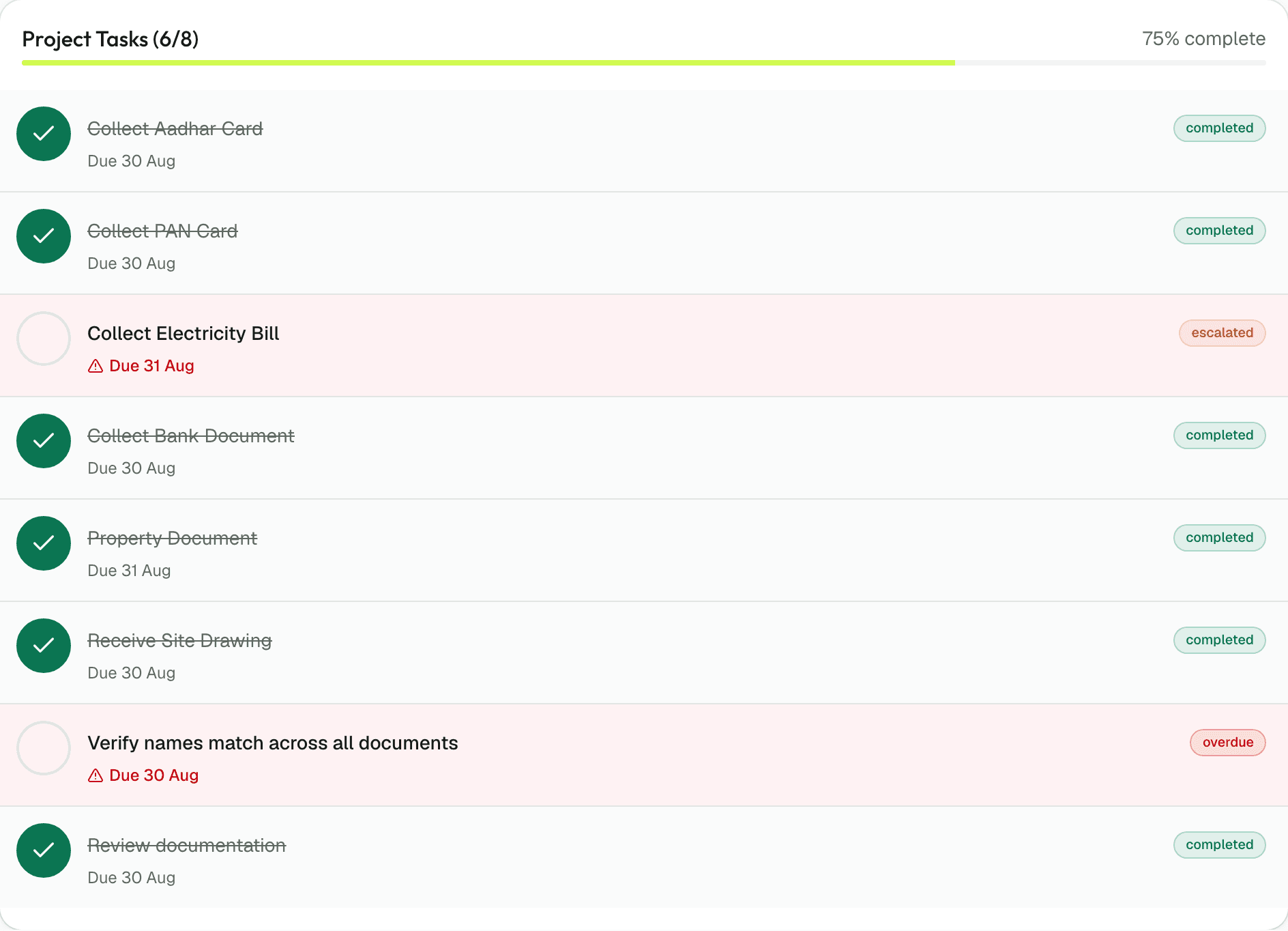
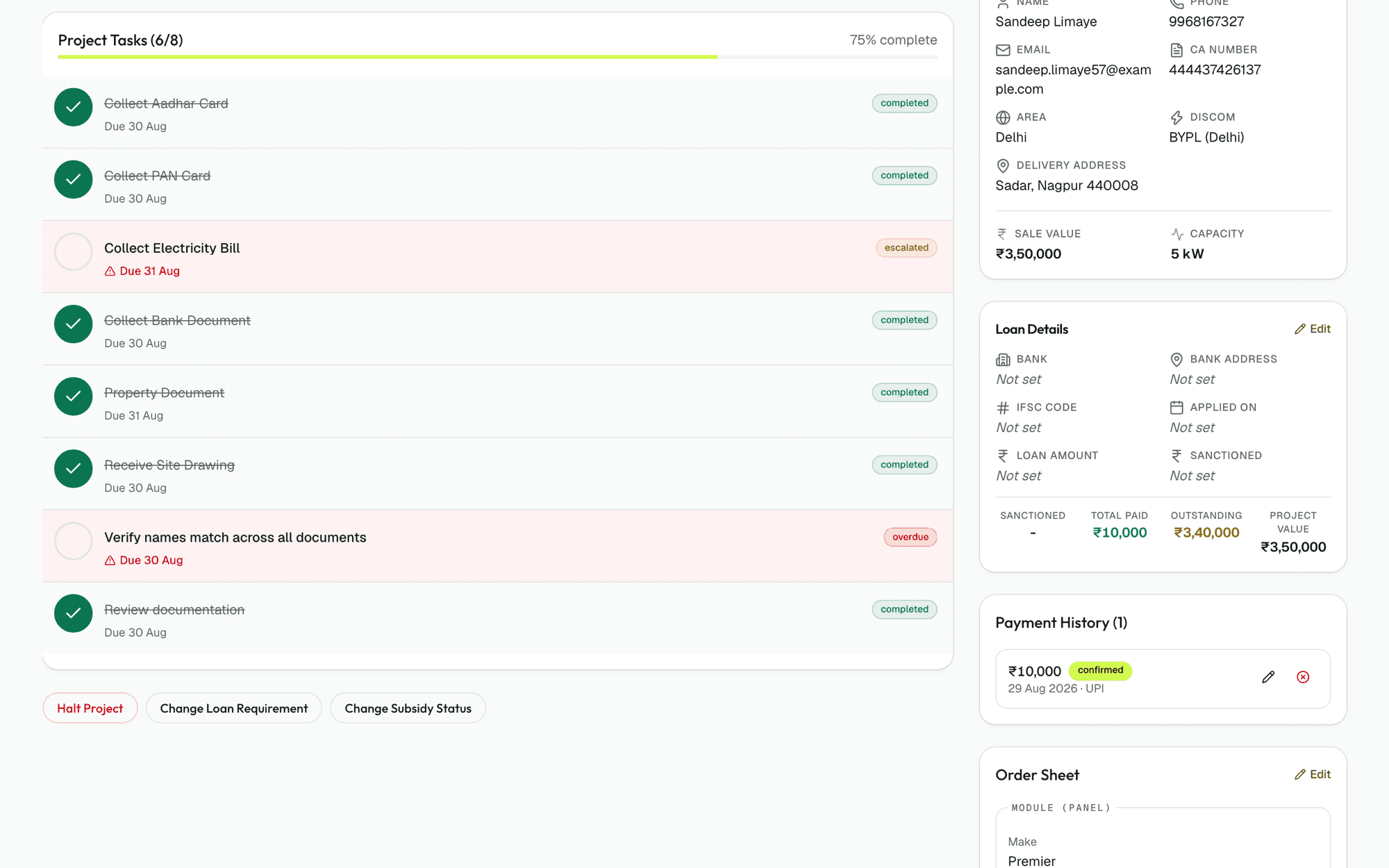
The moment a project moves to a stage, whether you click the button or a payment gate triggers it, the system looks up that stage's template. Verify Aadhaar, verify PAN and verify the electricity bill in one day each. Site survey and feasibility take two days. Loan sanction gets four days, structure installation ten, and net-meter confirmation fourteen. Every task gets a due date the instant it is created, calculated from that stage opening. The checklist for the whole stage is ready in the same second the project arrives there, and everyone assigned to it sees their work immediately.
Only the tasks that apply appear
A loan project gets loan tasks. A cash project does not. A project under PM Surya Ghar gets subsidy checklist items; one without does not. Net-meter paperwork matches the electricity board that job actually falls under — BRPL, BYPL, TPDDL, PVVNL, NPCL, DHBVN or UHBVN, the seven DISCOMs the system knows about. The default 57-item checklist, drawn from a working Delhi-NCR EPC, branches on loan status, subsidy eligibility and DISCOM, so every project gets its own tailored list. The same mechanism works for your own custom tasks if you edit the checklist during setup.
You decide how many days each task gets
Verifying a document gets one day, a site survey gets two, and loan sanction gets four. These numbers come from the playbook of the EPC we built it with. They are yours to edit. If your own loan-sanction window is tighter, or your DISCOM paperwork usually takes longer, change the numbers. Setup takes an hour, and every workspace runs its own timeline from there.
The owner sees how old each task is
A task that went overdue three days ago shows as three days overdue, not a vague red dot. The colour tells you the story at a glance — a task not yet due sits neutral, one that has gone overdue turns red, and once it climbs a rung the colour moves to amber, so a stalled task cannot blend into the rest of the list. Every late task on every project climbs one rung up the org chart every night it stays overdue, so nothing quietly rots at the bottom.
Everything else you would ask
What if a task takes longer than the due date says?
The due date is a starting point, not a deadline the system enforces. A task can stay open past its date. The moment it goes overdue, it surfaces in the right person's list and begins climbing the org chart at night, so by day three the director knows about it. If you consistently find a task needs more time, you edit the due offset when you edit the checklist.
Can we skip a task if it does not apply to a project?
The branching logic already skips tasks that do not apply. Loan tasks appear only on loan projects. Subsidy tasks only on subsidy projects. Net-meter paperwork for BRPL projects includes stages 1, 2 and 3; PVVNL projects get one submission. If you find a task that is showing up when it should not, edit the condition when you set up your stages.
How do we handle delays from the DISCOM or the bank?
The due date is what you control, not what the DISCOM controls. If a loan-sanction task is due in four days but the bank takes six, the task goes overdue on day five. By day six it reaches the person running the desk. They see the delay, contact the bank, and have the option to mark the task closed with a note ('bank delay' or 'awaiting response') rather than leaving it open to keep climbing. The escalation ladder keeps the delay visible; it does not prevent you from recording the reason.
What if we do not want a task at all?
Delete it from the checklist template. The next time a project enters that stage, the task will not be written. Projects already in that stage are not affected. If you want to delete a task from a project that is already running, mark it closed with a reason ('not applicable' or 'customer does not want this').
Can different projects have different checklists?
No. Every project in your workspace gets the same template when it enters a stage. The branching (loan, subsidy, DISCOM) creates variation, but the base template is one. If you need different checklists for different site types or regions, design the branching conditions during setup.
Why do late tasks climb the org chart instead of just sending an email?
Email is a dead-letter. Somebody sends it, somebody else might read it, and then it disappears into the inbox with fifty others. A task climbing the org chart is visible to every manager between the person who owns it and the director, in their notification bell, every time they log in. It does not require anyone to remember to check their email.
Run one real project through it this month. You will know by the end of it.
30 days free, no card, no call. Then ₹10,000 a month for the whole company, however many people you put on it.