Each role stops hunting for their work
What goes wrong
At the start of the day, a telecaller sits down and opens their messages, their email, a spreadsheet, a board and a group chat to find out what they should be calling. Twenty minutes later they have five numbers. The lead is now cold. Other roles waste the same time building the same picture from the same scattered sources, and half of it changes between when they read it and when they act on it.
The general manager runs a status meeting every Monday and asks eight people, one after the next, to say what they are doing and what they are stuck on. Nobody has the numbers ready. The meeting runs forty minutes on what takes sixty seconds to say. Mid-week the GM rings the head of ops to ask what is late — and that person has to stop what they are doing to hunt through their messages.
The director sits down with a half-remembered target for the month and an email chain about two projects that are stuck somewhere. To answer 'What is our cash position?' the director rings four people. By the time the answer comes back it is already wrong.
Because the work lives in people's heads and in messages, one person going on leave stops everything that person knows about. A project stalls silently between two departments until a customer rings, angry.
How it works
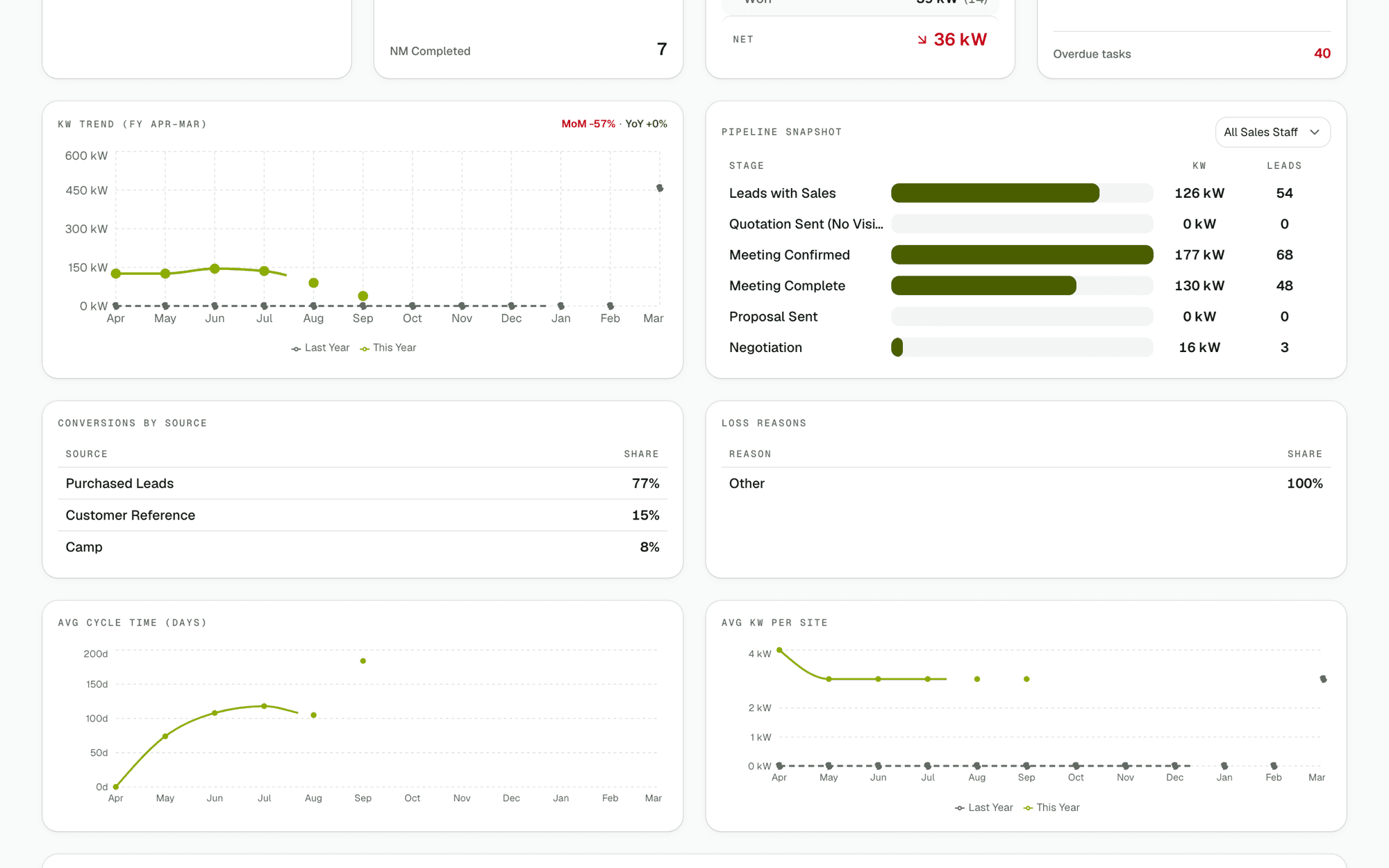
The director sees cash and kW in one place
The owner's first screen shows kW won against this month's target, money that is due this month, what is stuck and where, and every project grouped by its stage. No board pack. No spreadsheet. No ringing round. The numbers update as the day moves, so a decision made at nine in the morning stays true at five in the evening.
A solar CRM for sales team members shows today and this month
A salesperson's screen shows today's site visits, follow-ups due today, and the month's progress against their own target. When a new lead comes in, it appears on the screen of the named salesperson it was assigned to. Nobody has to ask if a lead got assigned or chase to find out it got lost in a message.
A telecaller sees an ordered calling queue
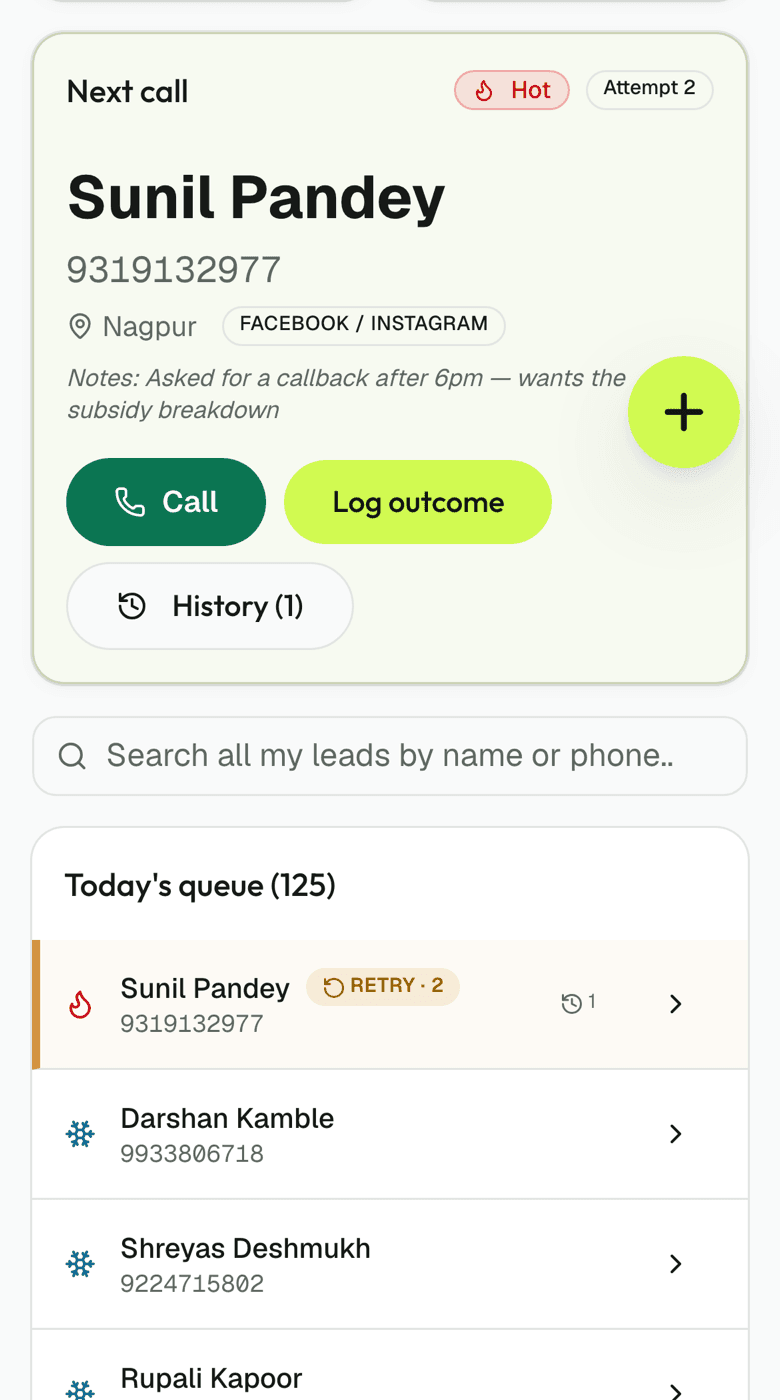
The calling queue is built by the system, not by asking the caller to search. Hot leads sit at the top. The next number carries its source, its history, and the last thing that was said to that customer. A call outcome flows straight in from the phone — qualified, disqualified, or meeting booked on a named salesperson's day. The queue reorders itself as leads arrive.
Documentation ops sees files and deadlines
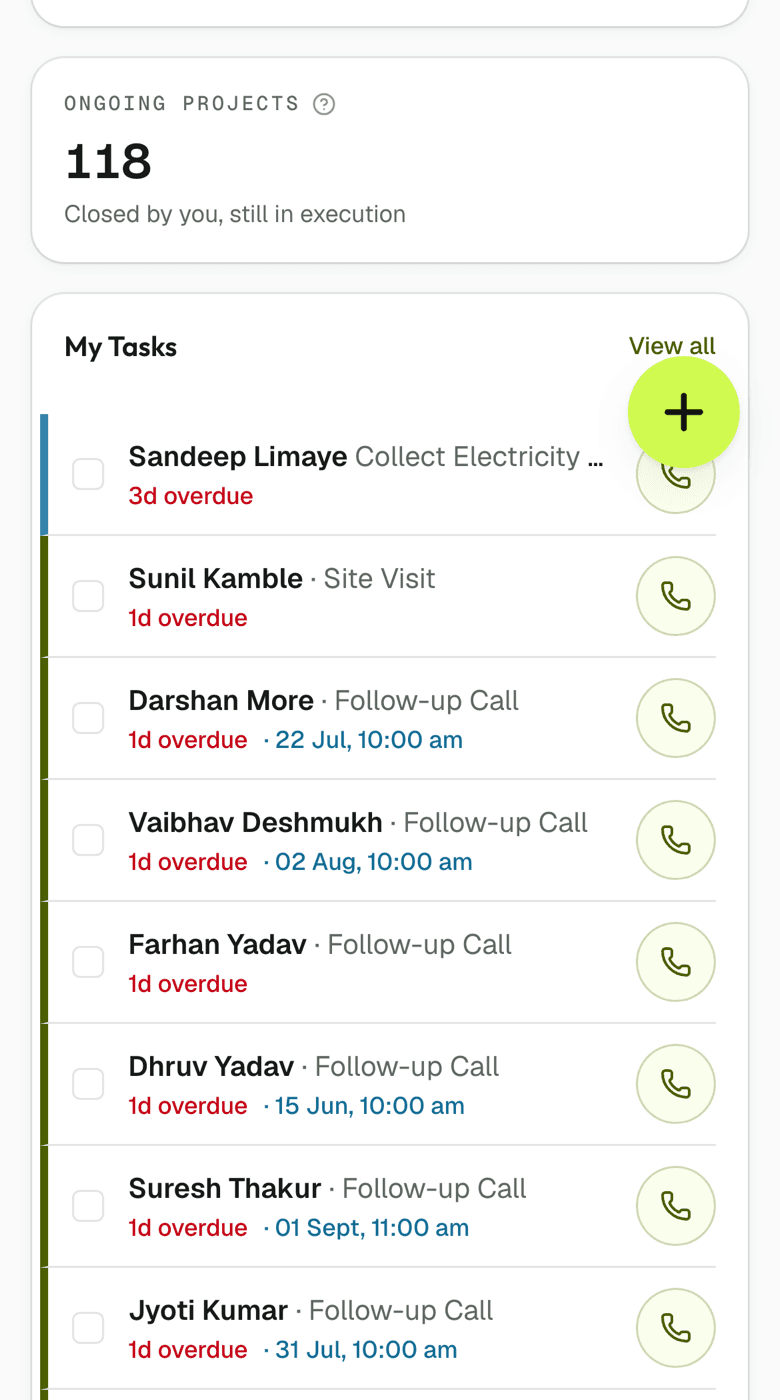
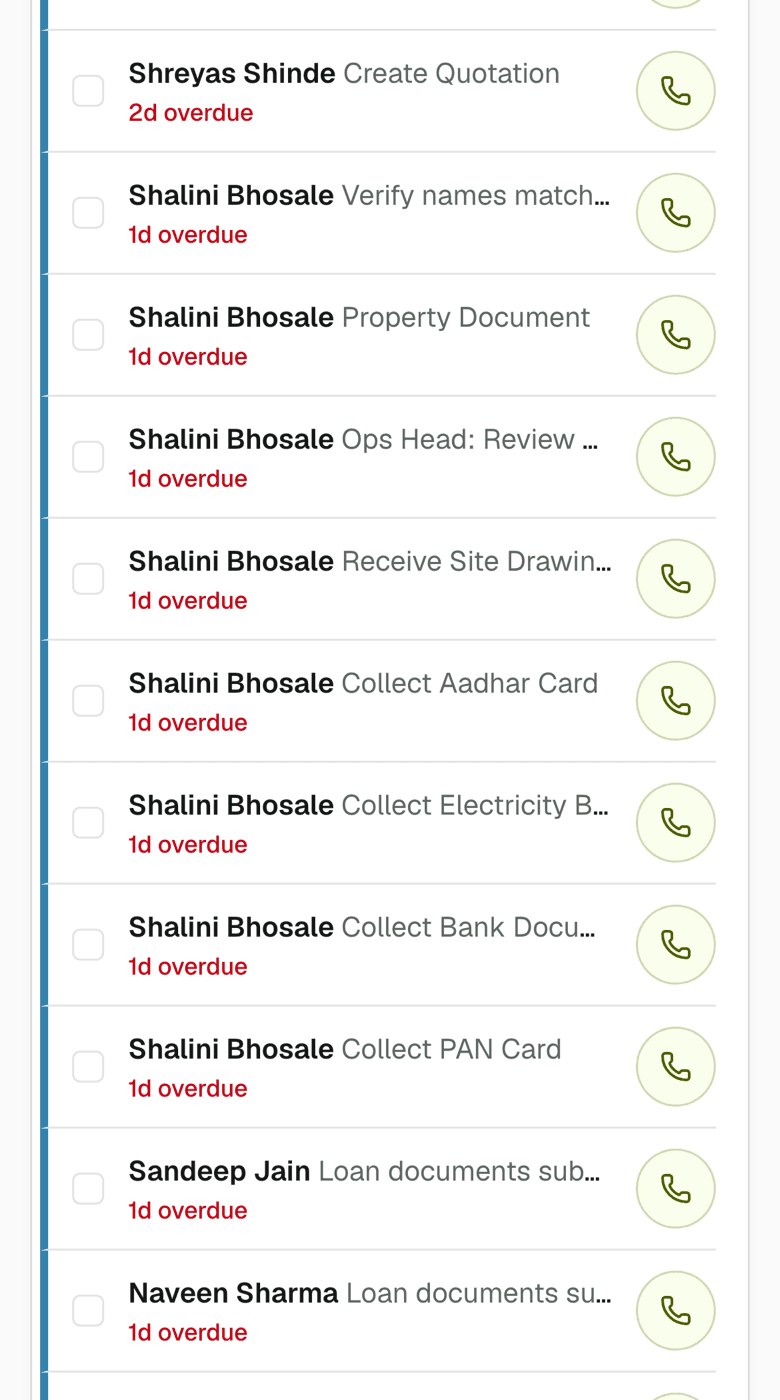
A documentation ops person opens their phone to find their files to verify, their own targets, and their overdue items listed by name and customer. Each file either needs verifying or needs to be re-uploaded to the photographer who took the photo. The screen shows exactly what that person owns and nothing else.
Operations staff see who is carrying what
The operations head sees the same picture every person below them sees, plus a second screen showing who is carrying too much and who is carrying nothing. This is the standing status meeting — one screen, updated live, no meeting needed.
Everything else you would ask
Can I customise what each role sees?
Stages, tasks and the days they are due are all yours to edit during onboarding, and any time after in Settings → Pipelines. Targets per person and per month come from the Targets screen. The fields that show on each role's dashboard are not yet customisable — every role sees the fields built into that screen. If you need a field every telecaller looks at to show on the calling queue, that is a feature request.
What if I have a role that is not on this list?
The ten roles ship with Solar Spine: Director, General Manager, Operations Head, Documentation Ops, Delivery Ops, QC Ops, QC Manager, Sales Staff, Telecaller and Admin. You can rename any role during onboarding. If you need an eleventh role or a split within one role (e.g., two documentation ops handling different tasks), you can add it in Admin → Roles and assign people to it, but it will not have its own dashboard — it will use a sister role's first screen.
When does a role see overdue work?
Overdue items show first on the individual's own dashboard, through the notification bell — escalation itself sends no email. Separately, a due-today reminder goes out by email at 9:00 am IST to anyone with tasks due that day, and overdue money gets its own alert to the collection owner and their manager at 7:00 am IST. When a task is one day late it climbs to the assignee's manager; two days, to that manager's manager; three days, to the general manager, and it keeps climbing the actual org chart, a rung a night, until it reaches someone with no manager on record, ordinarily the director.
Does every role get targets?
You set targets for any role you like during onboarding — kW per salesperson, projects completed per delivery ops person, documents verified per documentation ops person. You can leave targets empty for roles where they do not make sense. Each person sees only their own targets, not anyone else's.
What if somebody has two roles?
During onboarding you assign one primary role to each person, and that role decides which of the nine screens they land on when they sign in. If someone genuinely does two jobs, such as documentation ops work alongside QC checks, pick whichever role carries the heavier daily workload as their primary role. A person cannot have two dashboards, though you can change anyone's primary role later, and their first screen changes with it from their next sign-in.
Run one real project through it this month. You will know by the end of it.
30 days free, no card, no call. Then ₹10,000 a month for the whole company, however many people you put on it.