A project cannot advance while its checklist still has open items.
Sixteen working stages, then Complete or Cancelled
A rooftop installation is not one thing: it is sixteen working stages, plus Complete and Cancelled once it is over, eighteen in total. Documentation verification happens first, typically a single day, then name resolution if the customer's name needs to match across paperwork. A loan-backed deal adds four stages here (application, document submission, sanction and disbursal) before the file moves on; a cash deal skips past them entirely. Loan sanction is the visible bottleneck — at one Delhi-NCR EPC we work with, it is the slowest stage in the pipeline, and that is the bank's calendar, not yours. Site survey comes next, then either structure dispatch and structure installation (cash) or material dispatch straight through (loan), then installation, pending payment, net meter activation, WiFi setup and invoice creation carry every project the rest of the way. Tasks exist only inside these stages, and every stage has its own checklist.
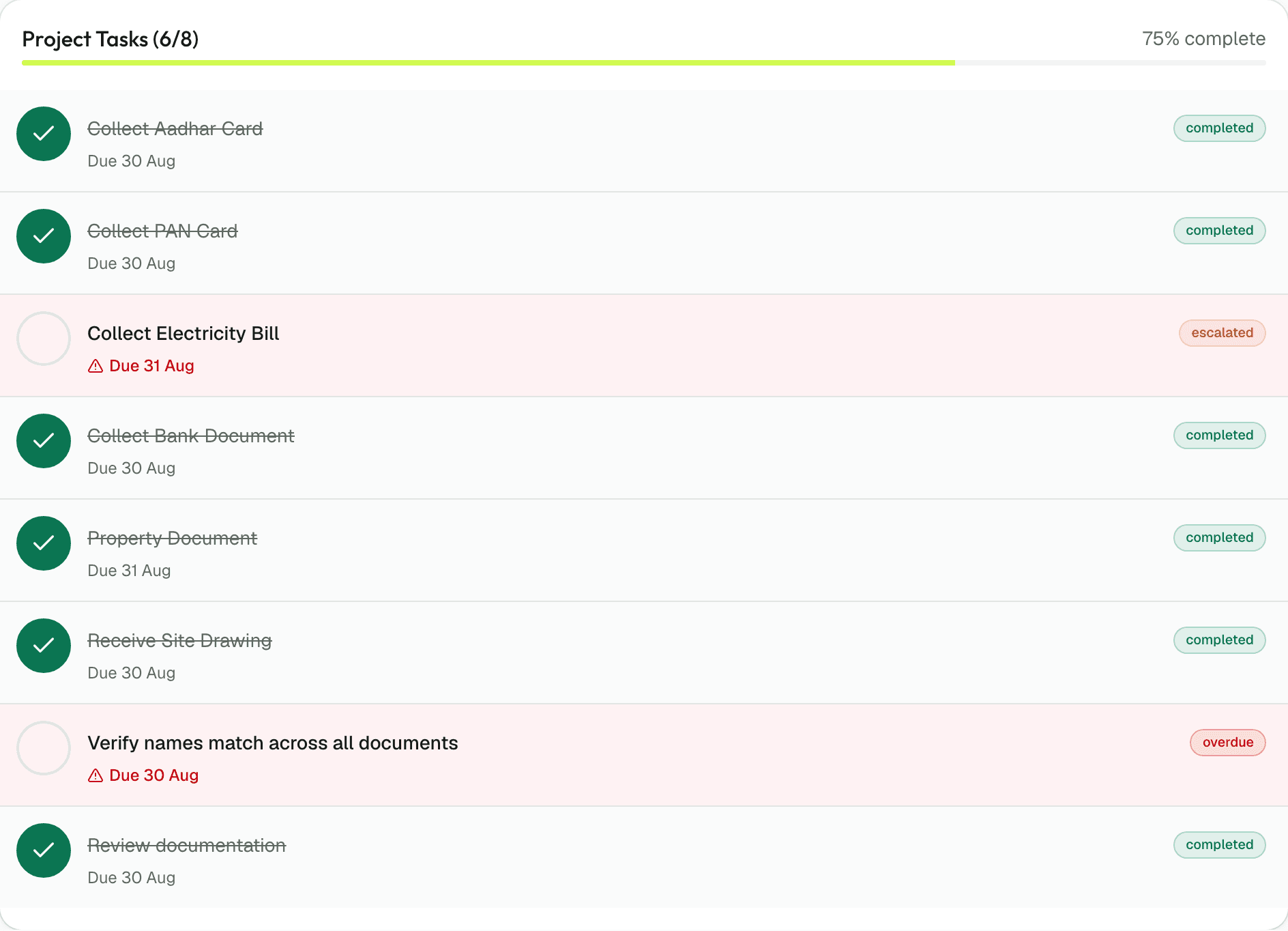
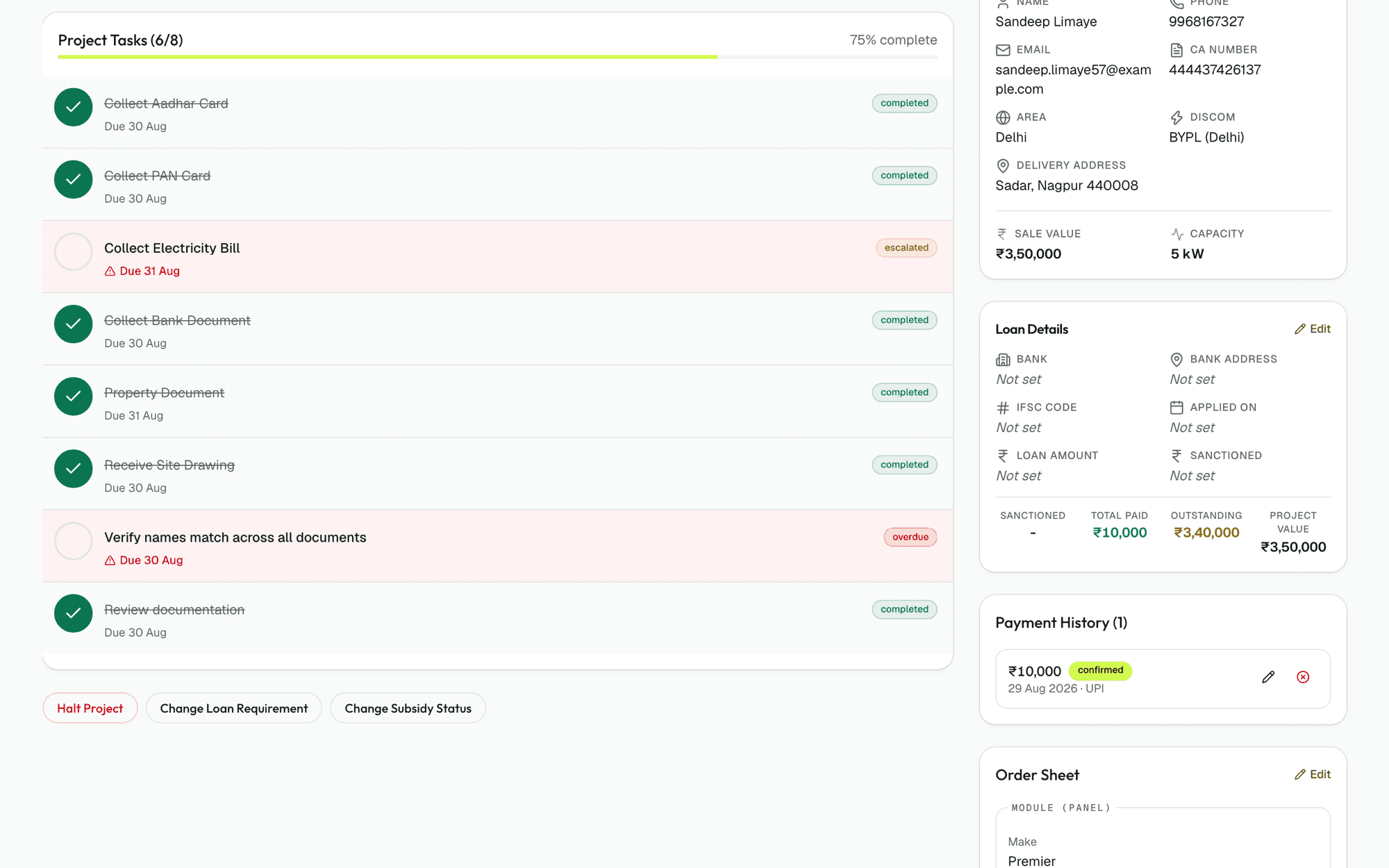
The checklist itself branches. Loan tasks appear on loan projects only; subsidy tasks only on PM Surya Ghar or GBI projects. Net metering paperwork changes depending on whether the customer sits under BRPL, PVVNL, DHBVN, TPDDL, BYPL, UHBVN or NPCL — the seven DISCOM boards Solar Spine knows by name. Nobody types these tasks. Nobody decides when they are due. The moment a project enters a stage, Spine writes the complete checklist with calendar due dates already on it, and a stage cannot roll forward until every open item is closed.
This is not a time-wasting process gate — it is the only thing that stops you from discovering in month three that a customer skipped straight past site survey because the month was busy. The gate stays free to roll back or cancel a project; it only stops you from pretending work is finished when it isn't.
Late work climbs the org chart by itself
A task that passes its due date does not sit there going quietly stale. Every night, on its own, a late task moves one rung up your organisation chart — from the person assigned to their manager, then to that manager's manager, and on toward the director. It keeps climbing until somebody does something about it. This is not a transfer and it is not a punishment: the person who was originally assigned still sees it on their own list. Escalating is making sure a human being knows the work is late, before your customer does.
The dates are calendar days. A task due on Wednesday, September 18, that does not close by end of day moves to its assignee's manager on the morning of September 19. It climbs again the night of September 20, and again the following night. A quiet week catches up on its own; you do not have to run a Monday status meeting for this to work. Every morning at 7:00 am IST, anything overdue on money goes to whoever owns the collection and to their manager, just to be sure. At 9:00 am IST, everyone gets their due-today list by email.
What this replaces: the Monday status meeting, the evening round of calls, the WhatsApp message that says 'any update on this'. What it does not replace: your people doing the work. Late work rises. It does not vanish.
Three gates that the software will not let you skip
A reminder can be ignored on a bad day. These three cannot. The stage gate stops you from moving a project forward while its checklist has open items. The payment gate prevents dispatch and net meter activation until the money actually arrives: the defaults are 25 per cent collected before structure dispatch, 65 per cent before material dispatch on a loan-backed deal, 95 per cent on a cash deal, and 100 per cent before net meter activation or completion. A director can change these thresholds for their own workspace; they are the numbers the first customer ran, and every new workspace starts on them until it sets its own. The document gate holds a document as done only when ops marks it correct, not when someone ticks a box.
The salesperson photographs the customer's papers on their phone the moment the sale closes. Documentation marks each file right or incorrect; incorrect files get a reason and go straight back to the photographer, not into a folder nobody opens. Cheque bounces reopen the instalment instead of disappearing into a bank statement nobody reconciles until quarter end. The system holds the project and the payment schedule in the same place, so what you invoiced and what you agreed cannot drift apart.
Once you set these gates, they are not negotiable. You cannot call the material dispatcher and talk them into sending panels early on a promise. The button to move the project forward is simply not available until the money lands and the documents verify.
What a Tuesday actually looks like
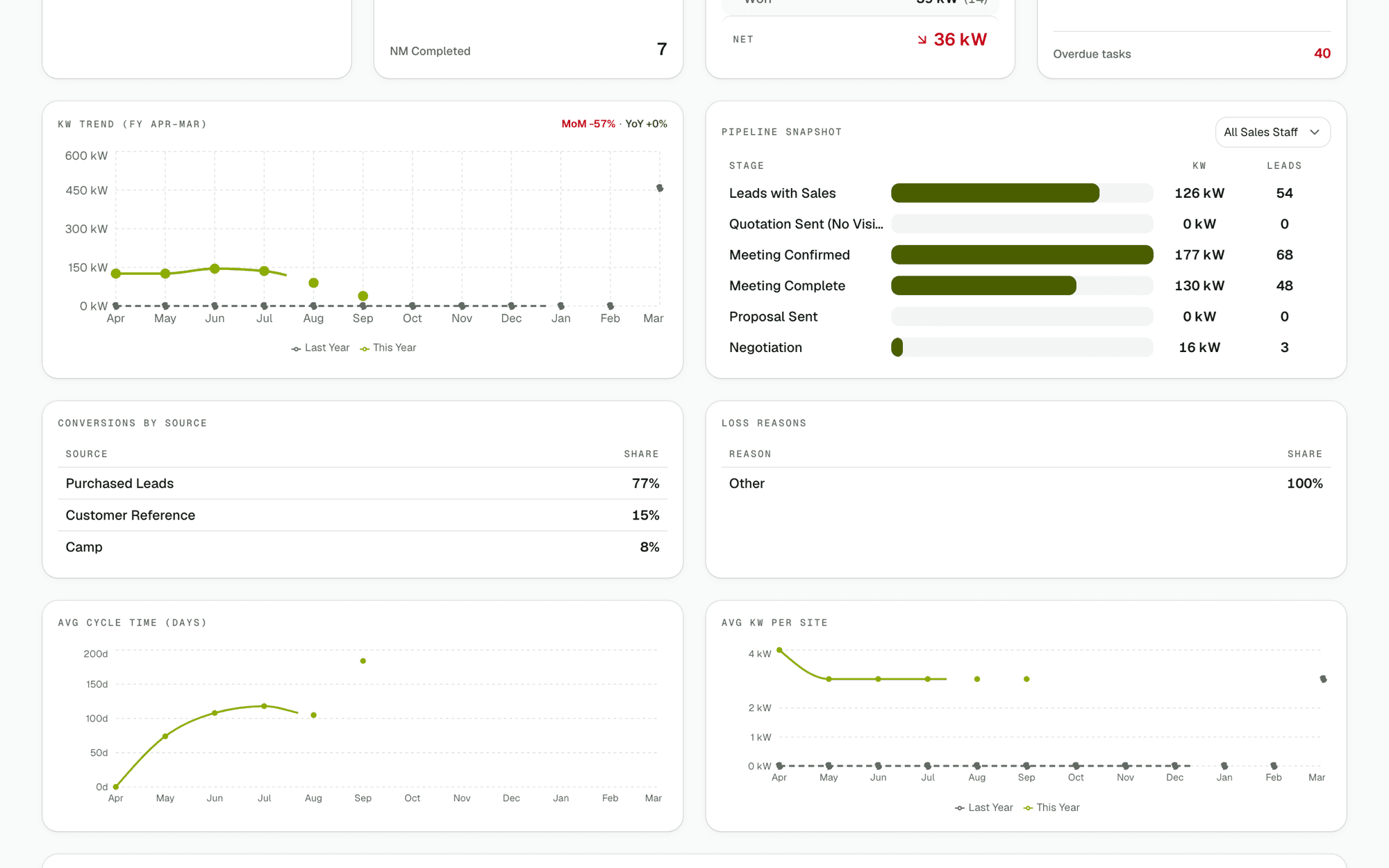
At 7:00 am, before anyone is in, overdue instalments have already gone to whoever is responsible for collections and to their manager. Anything that went late last night has already climbed a rung up the org chart. No one opened anything to make that happen. At 9:00 am, each of the ten roles opens its own screen. Each person sees exactly their work for the day: what is due today, what is late, who has too much and who has nothing. Documentation ops sees the files waiting on verification, a target, and overdue items by name. The telecaller sees a calling list that is already built and already ordered. Delivery sees dispatches. The director sees the whole book by stage, by person, and what it is worth in kW.
All day, a project cannot stall silently between two departments. A stuck stage is an open item with a name and a date on it. If that date passes, it goes looking for someone more senior. The week that is left is for growing the business, not chasing status. Month-end is one list, not six — every rupee due this month sits in one place, beside kW installed and net meters activated.
What to demand from solar EPC project management software
- Checklists that branch on loan, subsidy and DISCOM, not generic templates for every project
- Due dates that arrive automatically when a stage opens, not dates you type in by hand
- Stages that lock — a project cannot move forward while checklist items remain open
- Escalation that runs every night, not a report you have to read in the morning
- Payment gates that prevent material dispatch until the agreement actually arrives
- Document verification that sends files back to the person who took them, not into a black hole
- Ten role-specific dashboards, not one view for everyone
- A calling queue that is built and ordered automatically, not a list you shuffle by hand
- Overdue alerts that go to the person responsible and their manager every single morning
- One screen at month-end that answers 'how much money, how many kW, what is stuck'
Features that make this possible
Questions your team is asking
What features should solar project management software have?
Stage-based checklists with automatic due dates, role-specific dashboards, escalation for late work, payment gates, document verification that routes back to the original source, and overdue alerts that reach a person by name every morning. Generic project software designed for construction or consulting will not branch tasks on loan status and DISCOM, and it will not stop a stage roll unless someone remembers to check the checklist.
How does solar project software integrate with a solar CRM?
The two systems are different. A CRM tracks sales stages: lead captured, quoted, proposal sent, won. A project system tracks execution stages — documentation, loan sanction, structure installation, net meter activation. Solar Spine is both in one workspace: a deal moves from proposal to won inside the CRM, then the project opens on its first stage inside the project system, and they share the same customer record, deal amount and payment schedule throughout.
What's the difference between solar design software and solar EPC/ops software?
Design software (Aurora Solar, Arka 360, OpenSolar) draws roof layouts, sizes the system, estimates yields and generates quotes. Operations software tracks the stages that happen after you close the deal — documentation, loans, net metering, payment collection, installation coordination, handover. A few products try to do both; most solar EPCs end up using two separate tools, one for sales and one for ops.
Does project software track DISCOM compliance milestones, or only tasks?
Some of it. Solar Spine knows all seven DISCOM boards by name (BRPL, BYPL, TPDDL, PVVNL, NPCL, DHBVN and UHBVN) and writes a different net metering checklist depending on which one the customer falls under. It does not produce DISCOM approval letters or handle the application itself; that stays your responsibility. It flags when net metering paperwork is due, and escalates the task if it slips.
How much does solar project management software cost?
Solar Spine costs ₹10,000 per month or ₹99,999 per year (two months free), plus 18 per cent GST, with unlimited users and no setup fee. There is no charge per project, so the price holds steady as your team and pipeline grow. You can cancel any time, and a 30-day free trial requires no card.
Does the same software work for both residential and C&I (commercial) projects?
The stage sequence is identical — documentation, loans, site survey, dispatch, installation, net metering, completion. What changes is the paperwork inside each stage. A three-kilowatt residential job needs different documents and different DISCOM paperwork than a thirty-kilowatt C&I installation. Solar Spine handles both with the same checklist branching that already handles loan and subsidy variations.
Where this leads next
Run one real project through it this month. You will know by the end of it.
30 days free, no card, no call. Then ₹10,000 a month for the whole company, however many people you put on it.